New
Productivity
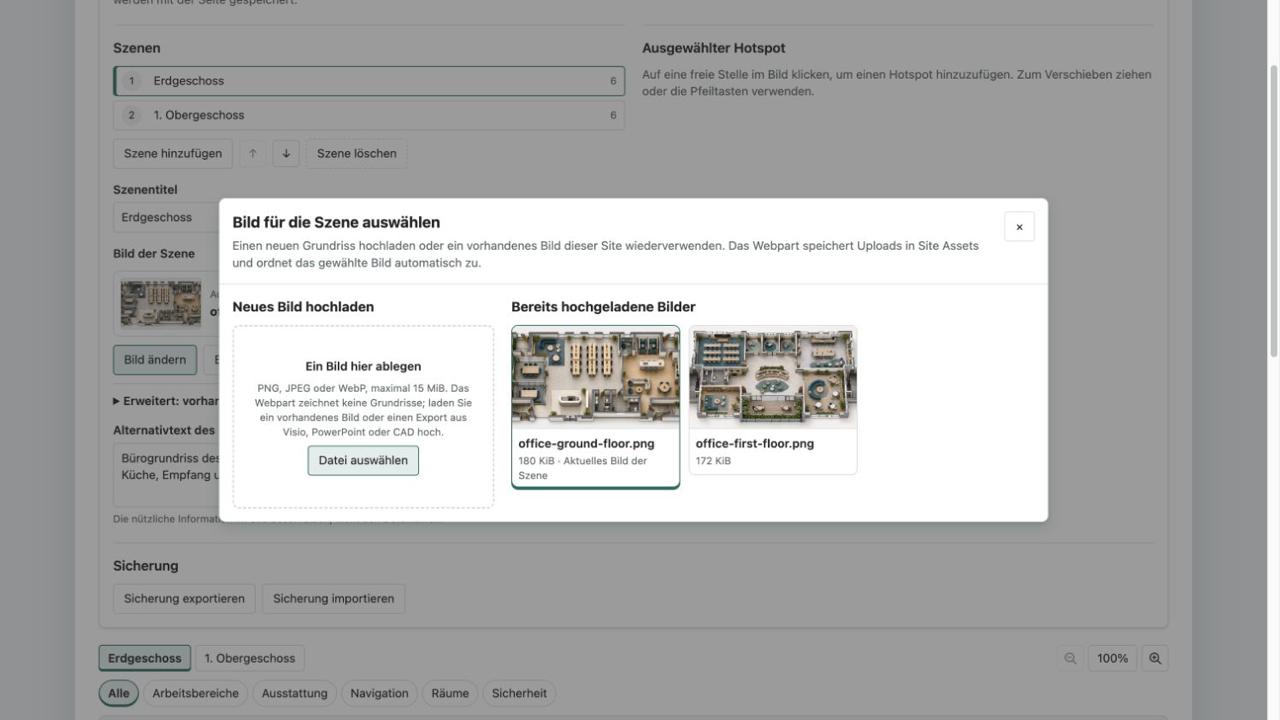
Interactive Image Map Pro
Turn plans, processes and graphics into interactive experiences with responsive hotspots, zoom and accessible detail cards.
€480then €600
B2B store: sales exclusively to businesses, public-law entities and special funds under public law. Prices are net plus applicable taxes.
Productivity
NewBook desks, rooms and equipment for a full day in SharePoint. Discover availability, plan the week and manage your own reservations.
A desk for focused project work, a room for a team day or a mobile equipment kit: Resource Booking Pro makes shared resources bookable directly on your SharePoint page. Your team gets one clear overview with locations, capacity and amenities.
The daily discovery view shows available resources, existing reservations and your own bookings. Search, resource type, location, minimum capacity and an availability filter help you find the right fit. The week planner compares seven days side by side. Each reservation covers one resource for one whole calendar day; hourly and partial-day bookings are not included.
Reservations are stored in SharePoint lists. An indexed unique key for each resource and date prevents concurrent duplicate bookings. View your reservations, cancel them after confirmation and download an all-day ICS calendar entry. CSV export includes bookings for the displayed week. Exported calendar files do not receive later updates automatically.
Resource management maintains locations, capacity, amenities and notes. Paused resources retain existing reservations and cannot receive new bookings through the web part. Two SharePoint groups separate booking from resource management. Regular participants can edit and delete only their own bookings. Everyone in the booking area can see reservation names and purposes.
English and German, responsive views, and Theme, Soft and Compact designs following your SharePoint colors are included. No additional Graph permissions, Power Automate flows or external application servers are required. Outlook room calendars, notifications, recurring bookings and automatic calendar synchronization are not part of version 1.0.0. Real SharePoint tenant installation testing remains pending; product images and video explicitly use fictional data.
This is a ready-made SPFx web part for SharePoint Online. What SPFx web parts are · Install the .sppkg · All web parts · Tenant licensing and updates
| Version | 1.0.0 |
|---|---|
| Last updated | Sep 23, 2026 |
| SPFx version | ≥ 1.23.2 |
| SharePoint Online | Yes |
| Microsoft Teams | No |
| SharePoint on-premises | No |
No. Each resource is reserved exclusively for one whole calendar day. This suits desk sharing, team days and equipment lending. Hourly slots, recurring bookings and Exchange resource mailboxes are not included. ICS files are snapshots without automatic synchronization.
SharePoint enforces an indexed unique key combining the date and resource ID. The interface derives both values from this key. Conflicting reservations are rejected. Owners retain administrative rights; the schema and permissions must be preserved.
Both configured groups can read every booking, including names and purposes. Regular participants can edit and delete only their own records. Resource managers maintain the resource list. Site owners, the provisioning user and tenant administrators retain broader permissions. Pausing does not cancel existing reservations.
SharePoint Online, App Catalog deployment rights and a site owner with list and permission management rights. Choose two distinct SharePoint groups and create two new lists in the property pane. No additional Graph consent or Power Automate is needed. First installation in a real tenant has not yet been validated for 1.0.0.
The form allows bookings from the local calendar date up to a configurable 1–365 days ahead. This is a form rule, not an additional SharePoint access restriction. Up to 1,000 resources and 1,000 bookings per day are loaded completely. Incomplete results or SharePoint query limits prevent availability from being displayed. Split larger inventories across booking areas.
Productivity
Turn plans, processes and graphics into interactive experiences with responsive hotspots, zoom and accessible detail cards.
Productivity
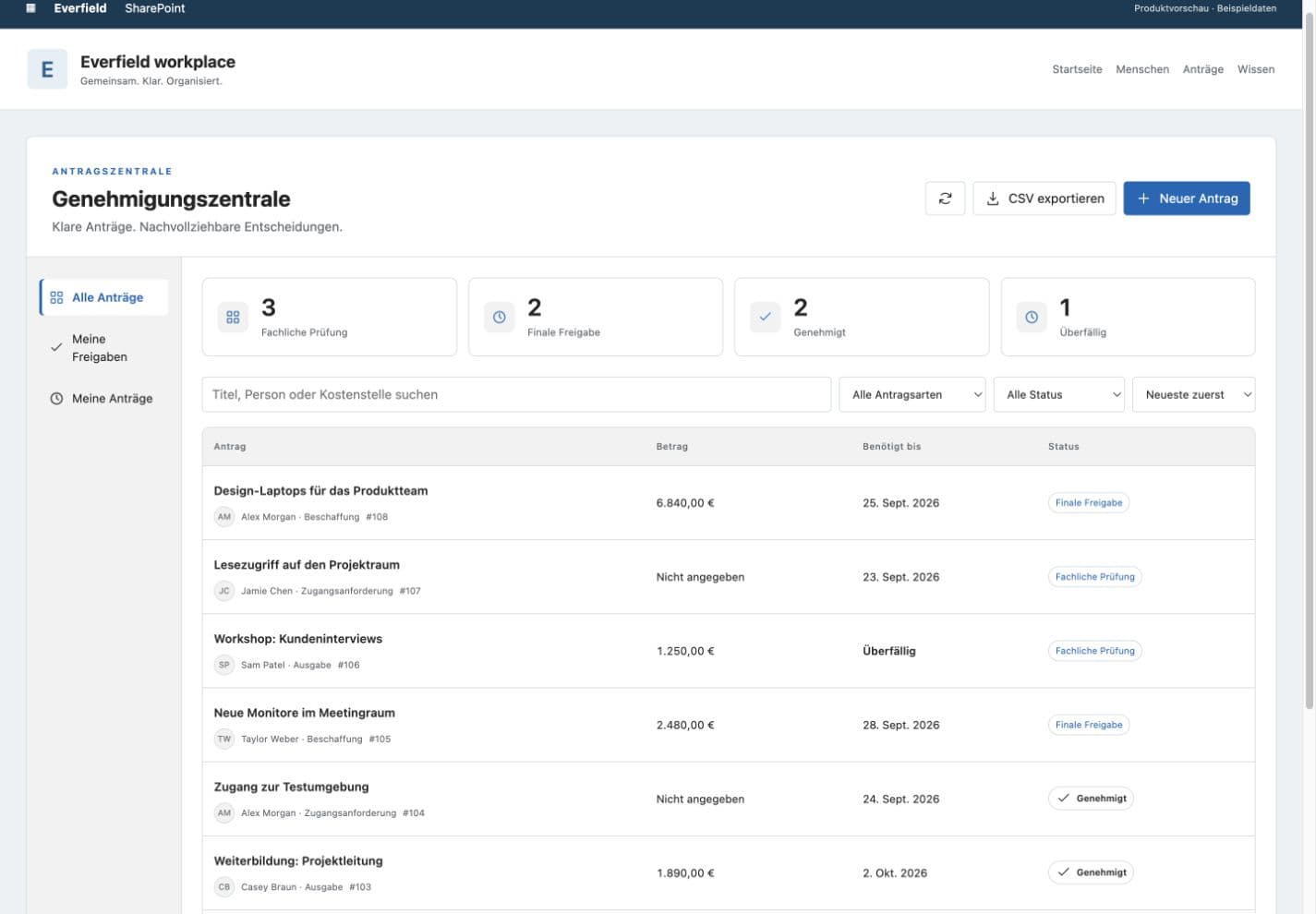
Request purchases, access and expenses in SharePoint, with two distinct review stages and a clear decision trail.
HR & People
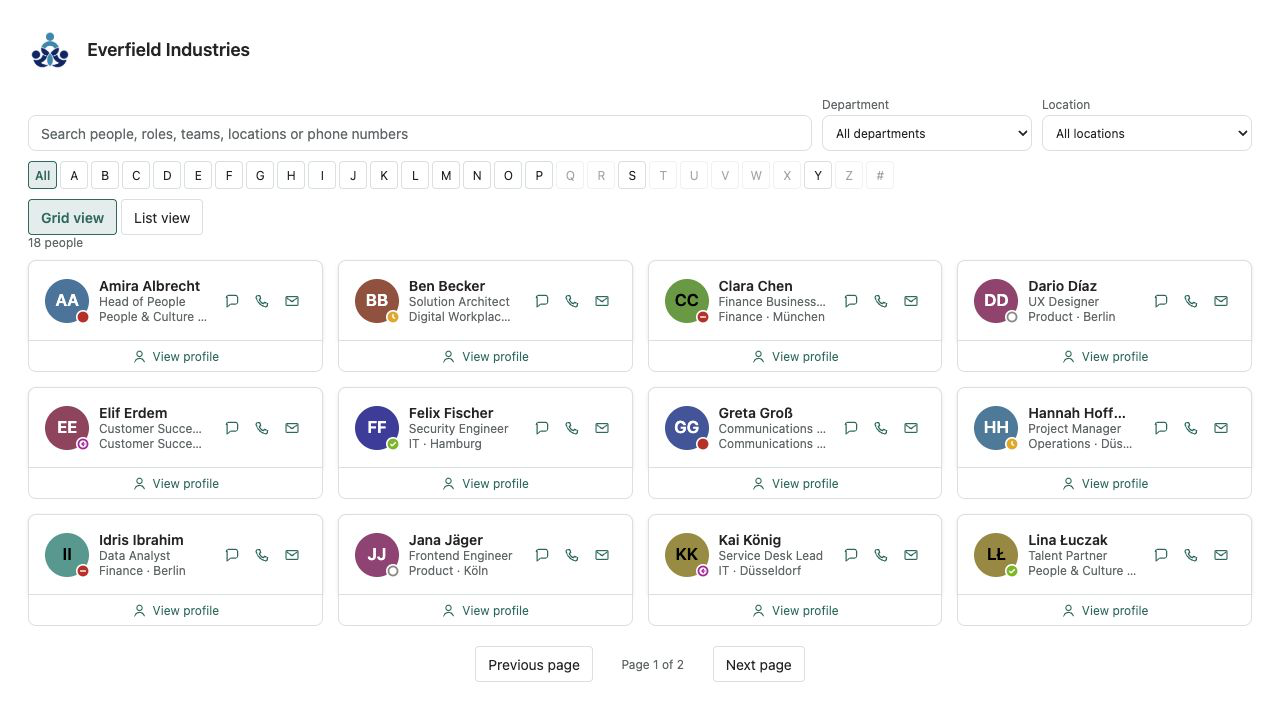
A fast people directory from Microsoft Entra ID — theme-aware, bilingual and free of external services.