Bestseller
HR & People
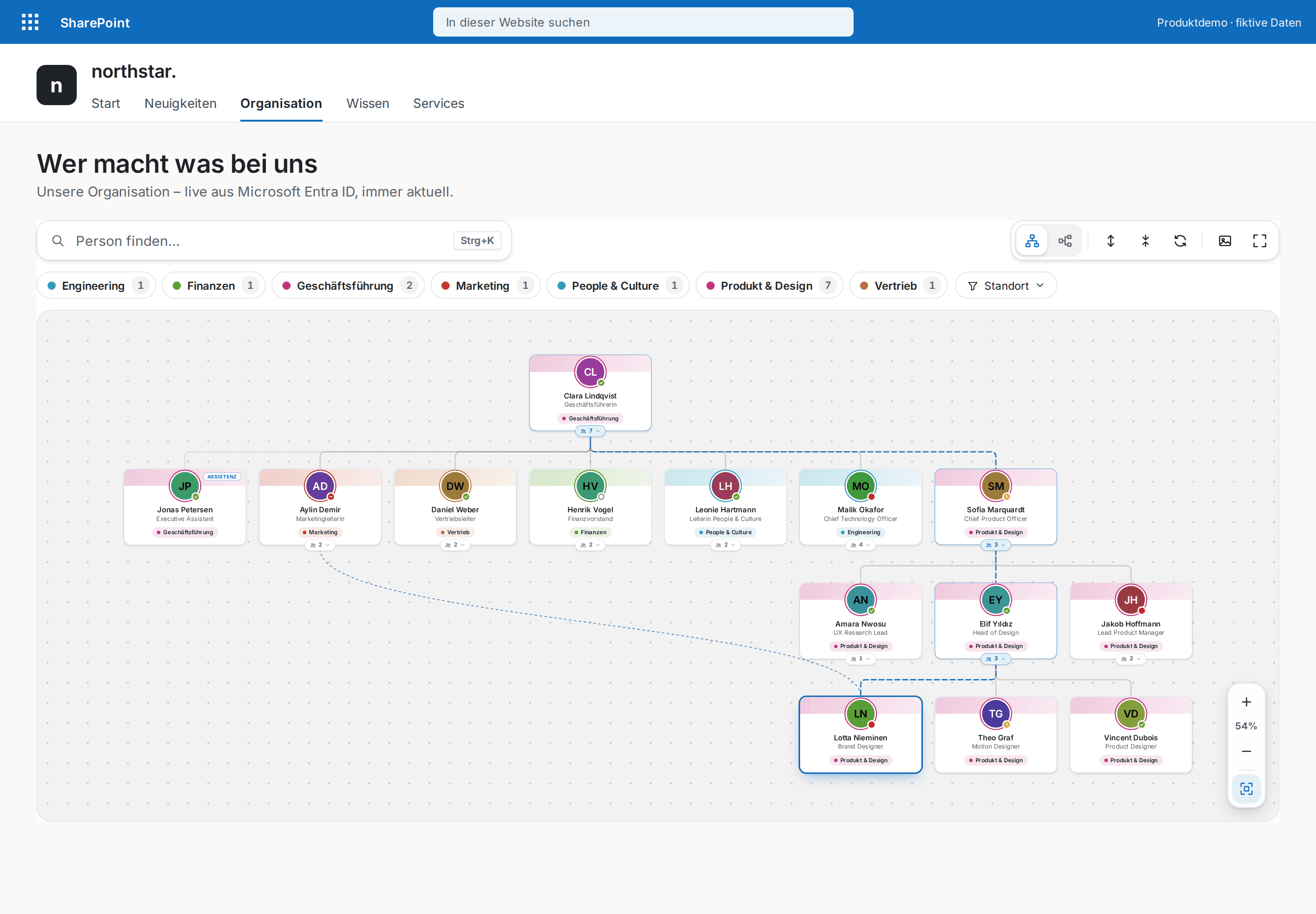
Org Chart Pro
The modern org chart straight from Microsoft Entra ID — always current, zero maintenance.
€1,290
B2B store: sales exclusively to businesses, public-law entities and special funds under public law. Prices are net plus applicable taxes.
HR & People
The modern who's who for your intranet — every colleague one keystroke away.
Employee Directory Plus turns Microsoft Entra ID into a fast, elegant who's who on any SharePoint page. Instant search (Ctrl+K) finds colleagues by name, role, department, location, phone number or skill — from the first keystroke, ignoring case and accents: “Mueller” finds “Müller” too.
Modern profile cards show photo, job title, Teams presence and color-coded departments; chat, call and email are one click away. Department chips with counts, a location filter and an A–Z bar guide people through large directories, and a profile panel brings contact details and skills together. Grid or list, three card sizes, phones included.
The webpart ships as a .sppkg package for your app catalog and is configured entirely through webpart properties: exclusion rules for service and guest accounts, design, visible fields, page size — no code, no external servers. Colors come from your SharePoint theme, light and dark.
This is a ready-made SPFx web part for SharePoint Online. What SPFx web parts are · Install the .sppkg · All web parts · Tenant licensing and updates · Compare SharePoint HR web parts
| Version | 3.0.0 |
|---|---|
| Last updated | Sep 24, 2026 |
| SPFx version | ≥ 1.18 |
| SharePoint Online | Yes |
| Microsoft Teams | No |
| SharePoint on-premises | No |
Directly from Microsoft Entra ID via Microsoft Graph — no separate list or database required. The directory is cached in the browser for five minutes and is current again after that.
Yes, the Graph permission User.Read.All, approved once by an administrator under "API access" in the SharePoint admin center. Presence.Read.All is optional: without it everything works, only the Teams status is hidden. A step-by-step guide is included.
Yes. Disabled accounts and guests are hidden by default. You can also exclude individual people (UPN or email), UPN patterns such as “svc-*”, whole departments and rules on name, job title or department.
The webpart is built for SharePoint pages and full-page SharePoint apps. Chat and call open Microsoft Teams directly; it will be offered as a Teams tab once it has been tested there.
Yes. The update rolls out tenant-wide by version number; every saved webpart setting is kept. Department colors are on right away and can be switched off in the property pane.
HR & People
The modern org chart straight from Microsoft Entra ID — always current, zero maintenance.
HR & People
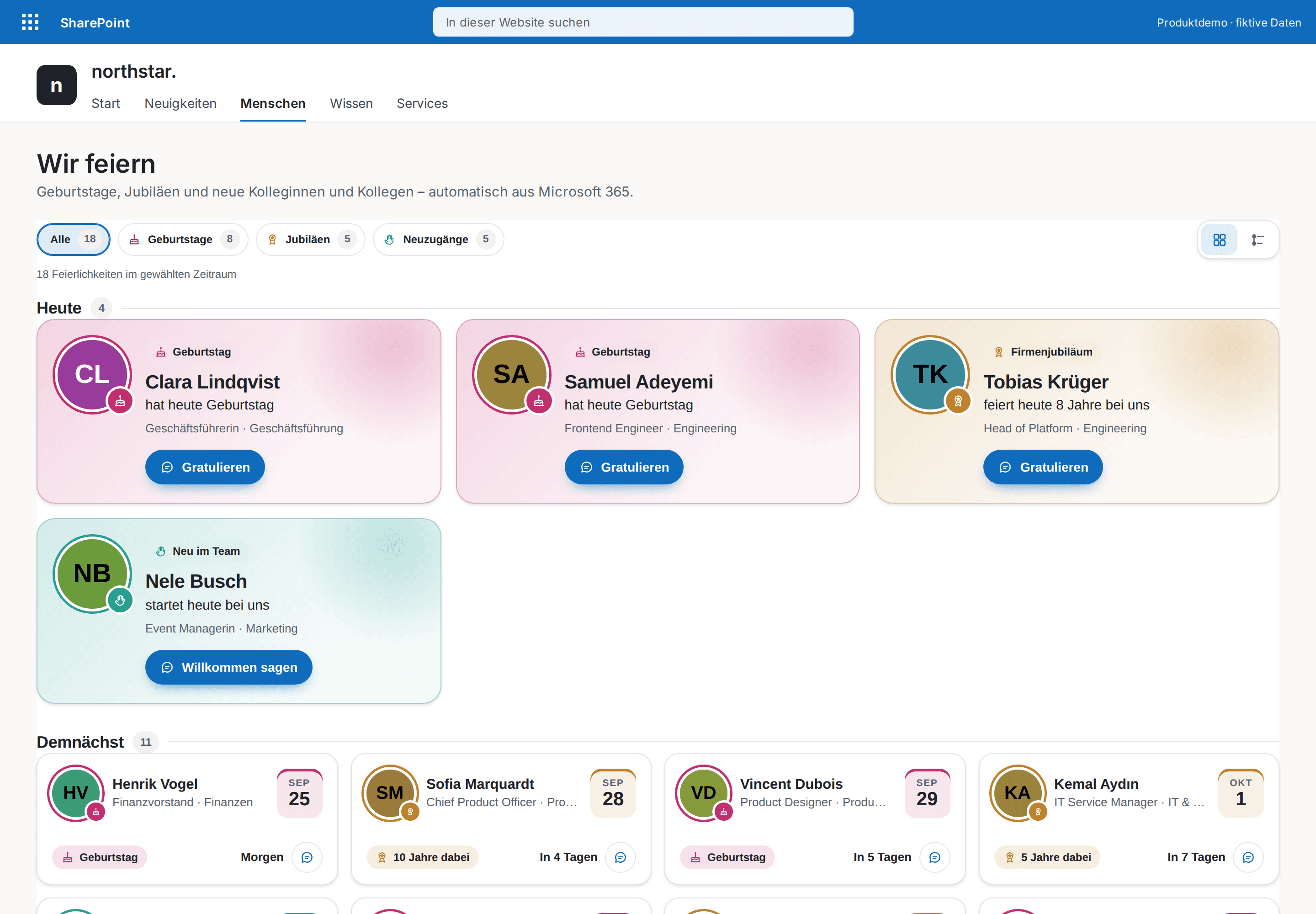
Celebrate your people automatically — birthdays, work anniversaries and new colleagues, with congratulations in Teams.
HR & People
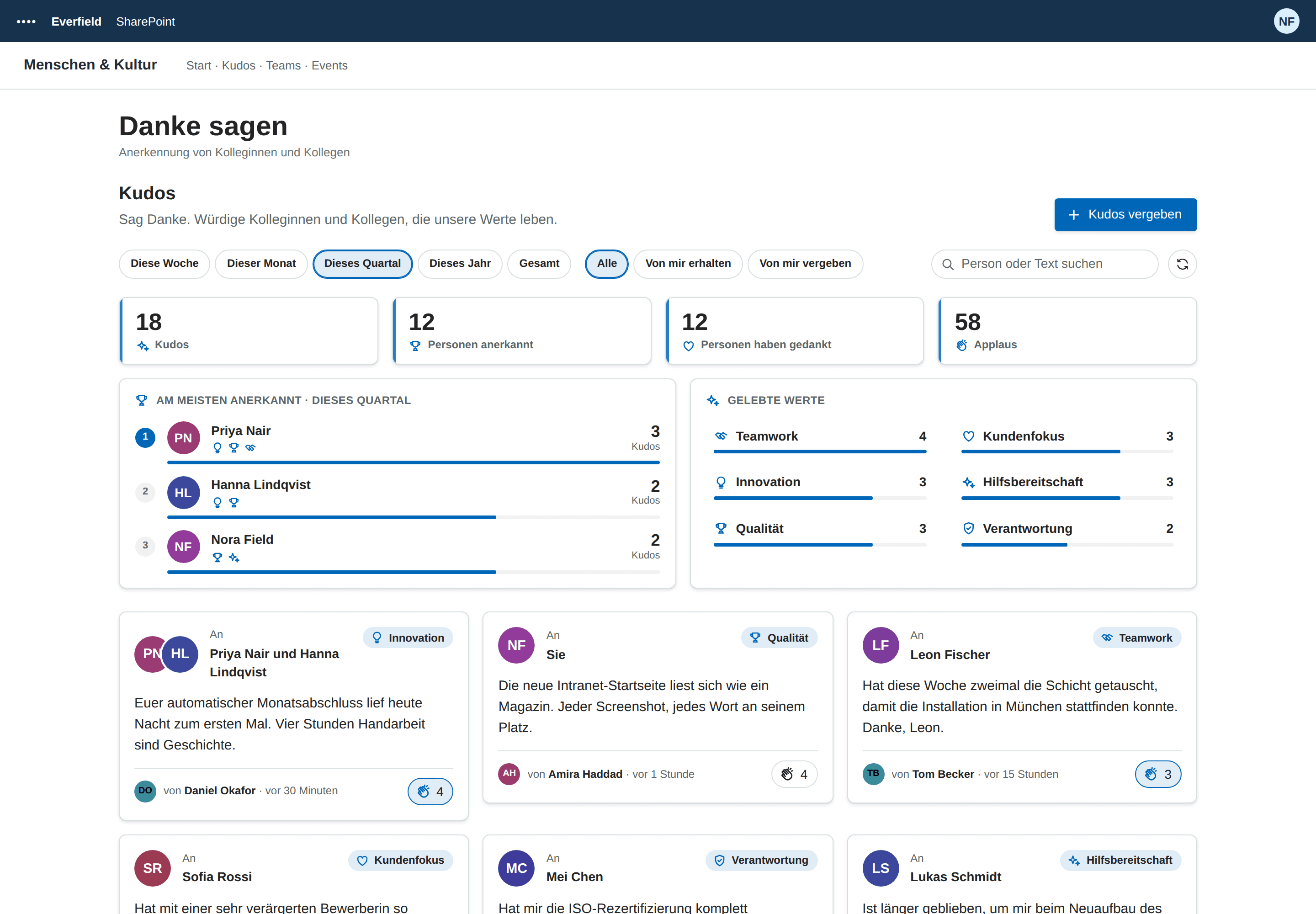
Employee recognition inside your SharePoint intranet — a kudos wall with company values, applause and highlights, no extra tool and no API permissions.