Productivity
Quick Links Premium
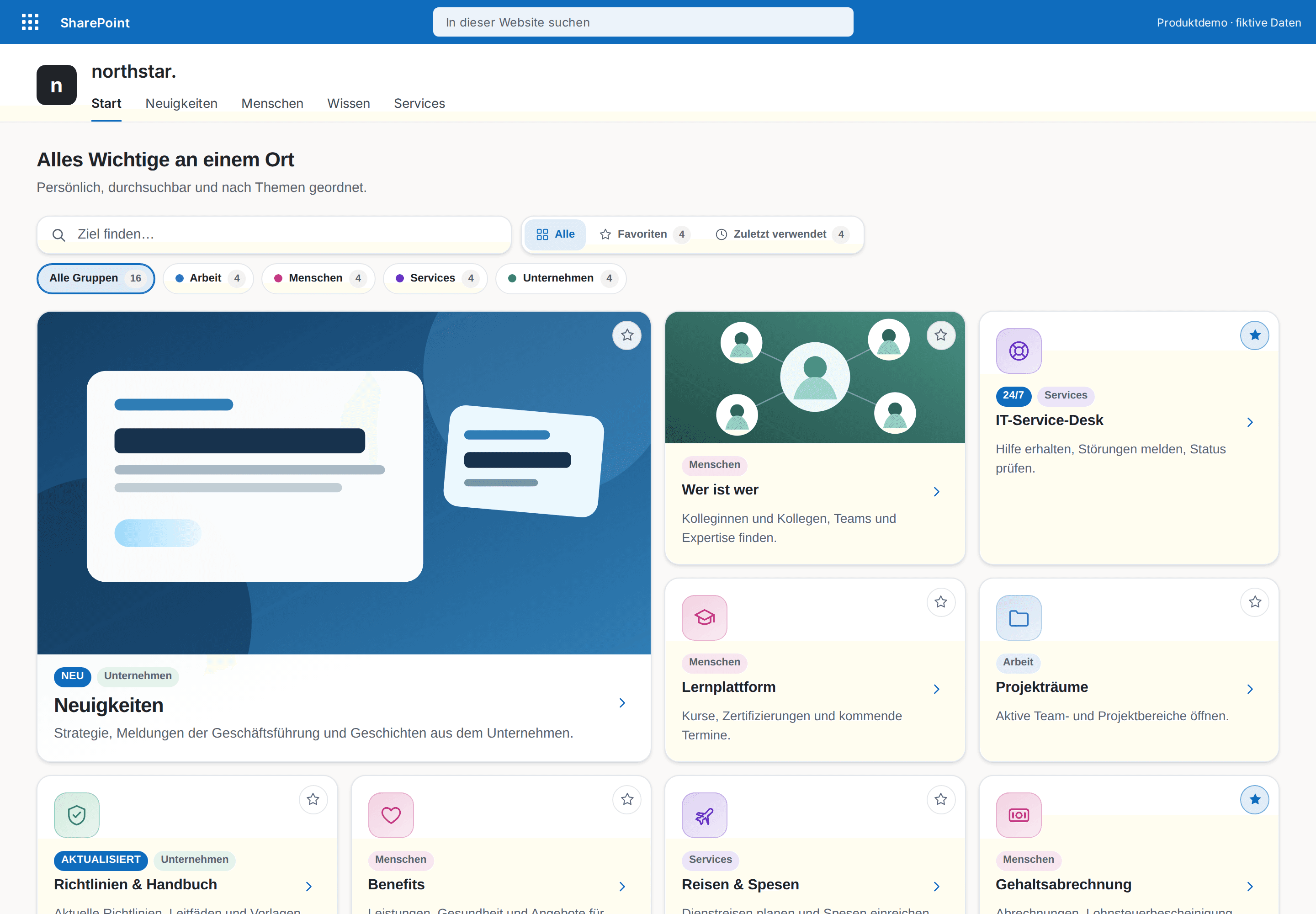
Link collections that look designed – with search, favorites and color-coded groups.
€290
B2B store: sales exclusively to businesses, public-law entities and special funds under public law. Prices are net plus applicable taxes.
Productivity
Make floor plans, processes and graphics clickable – with color-coded categories, a searchable places list, zoom and full screen.
Interactive Image Map Pro turns an image stored in SharePoint into a clear, explorable experience. Upload a floor plan or graphic directly in the editor, or reuse one through the built-in gallery; nobody has to copy an image URL. Then place hotspots on floor plans, process diagrams, site maps, product views or technical illustrations without writing custom code.
Version 1.2 brings a new design: an optional heading with place and scene counts, scene tabs, category chips with color marks and counts, a searchable places list beside the map, floating zoom and full-screen controls, and markers with a soft pulse and hover labels. Category colors are marks only and can be switched off; every surface follows the SharePoint theme.
Connect up to five scenes or floors. Each hotspot has a title, description, category and marker style, plus a detail card, safe link or scene switch. Incomplete hotspots are skipped for visitors instead of hiding the whole map; the editor keeps them visible for fixing.
Uploaded PNG, JPEG and WebP files are stored in SiteAssets/InteractiveImageMaps on the current site. The web part stays inside the Microsoft 365 tenant, requests no Microsoft Graph or separately approved API permission, and uses no external service or telemetry. English and German are included; the layout follows the width of the web part column.
This is a ready-made SPFx web part for SharePoint Online. What SPFx web parts are · Install the .sppkg · All web parts · Tenant licensing and updates
| Version | 1.2.0 |
|---|---|
| Last updated | Sep 24, 2026 |
| SPFx version | ≥ 1.23 |
| SharePoint Online | Yes |
| Microsoft Teams | No |
| SharePoint on-premises | No |
Directly in the image-map editor through “Choose or upload image”. PNG, JPEG and WebP files up to 15 MiB are stored in SiteAssets/InteractiveImageMaps on the current site and assigned to the selected floor immediately. Previously uploaded images remain available in the same picker. The web part does not draw a floor plan; customers upload an existing image or an export from Visio, PowerPoint or CAD.
No. Version 1.2.0 requests no Microsoft Graph or separately approved API permission. Uploads use the author's normal SharePoint rights for the page and Site Assets. Readers only need access to the page, the selected image and linked content.
Yes. “Color-code categories” in the property pane turns the color marks off; all markers then use the page's accent color. Colors never appear as text color and are contrast-checked against the background.
Yes. Relative coordinates keep the hotspots responsively positioned, and the layout follows the width of the web part column. The places list, visible focus states and keyboard and touch operation are included.
On modern SharePoint Online pages and SharePoint full-page experiences. Microsoft Teams is not claimed; final validation in a clean Microsoft 365 tenant is still pending.
Productivity
Link collections that look designed – with search, favorites and color-coded groups.
Productivity
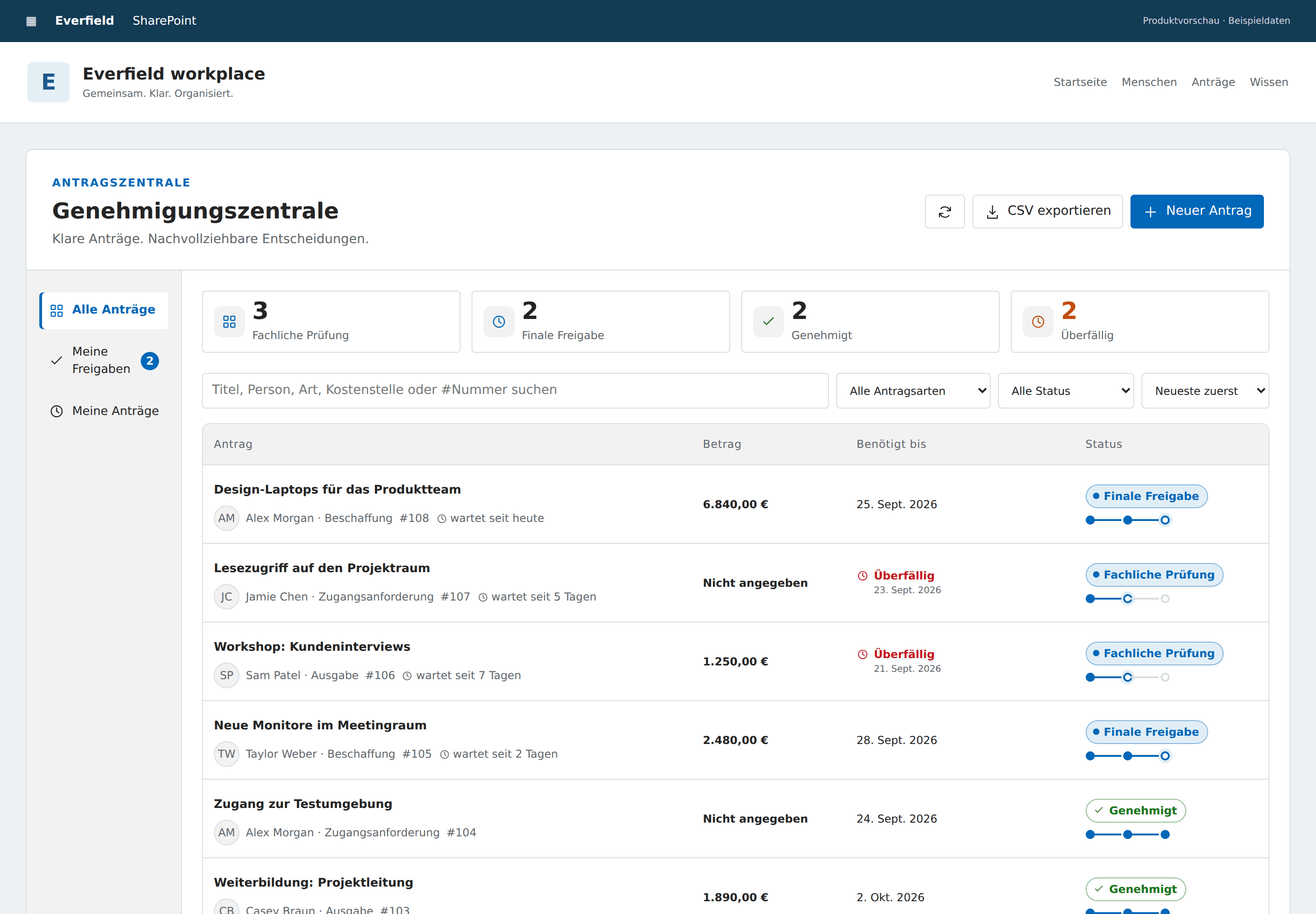
Request purchases, access and expenses in SharePoint, with two distinct review stages and a clear decision trail.
Productivity
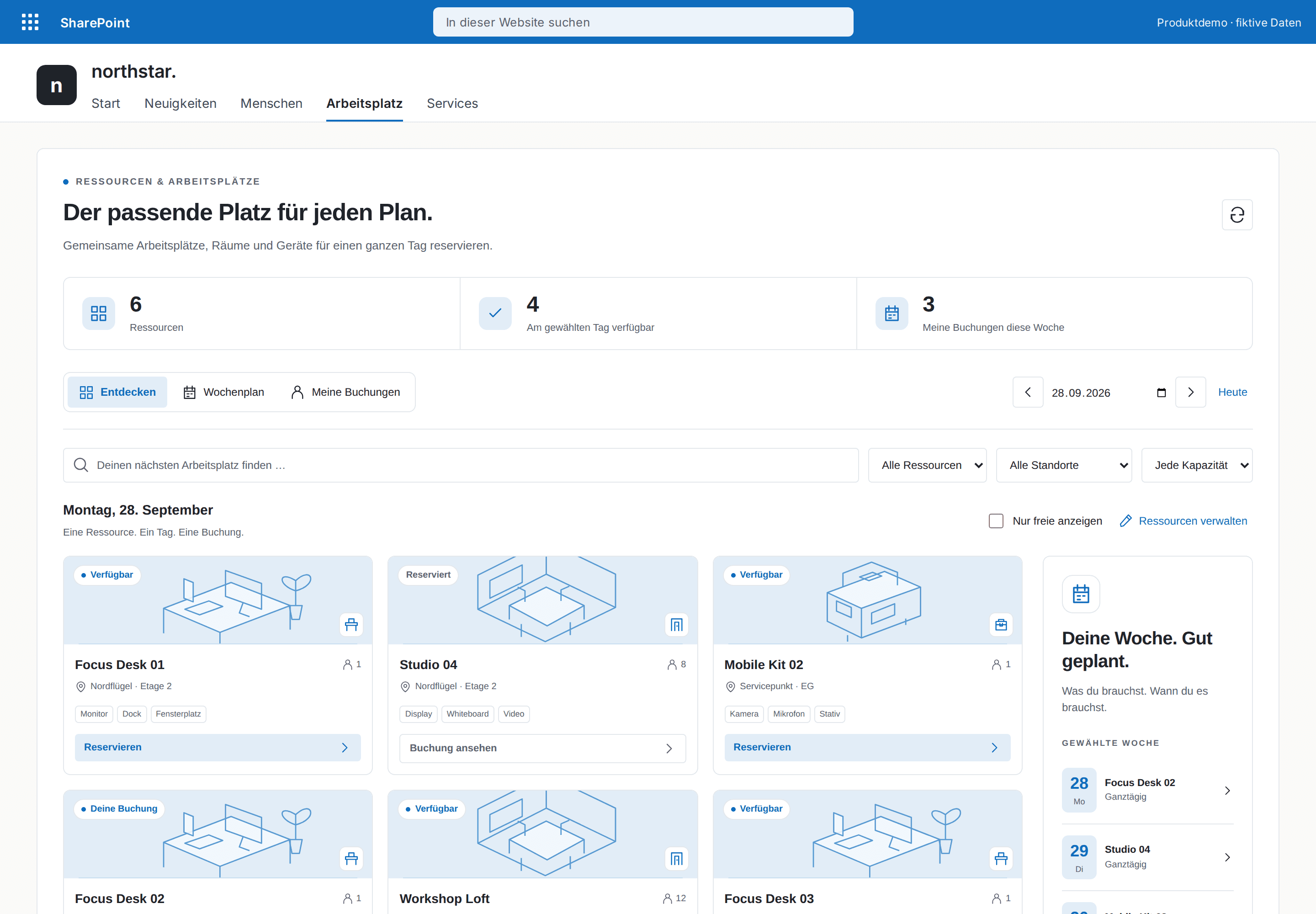
Book desks, rooms and equipment for a full day in SharePoint. Discover availability, plan the week and manage your own reservations.