Bestseller
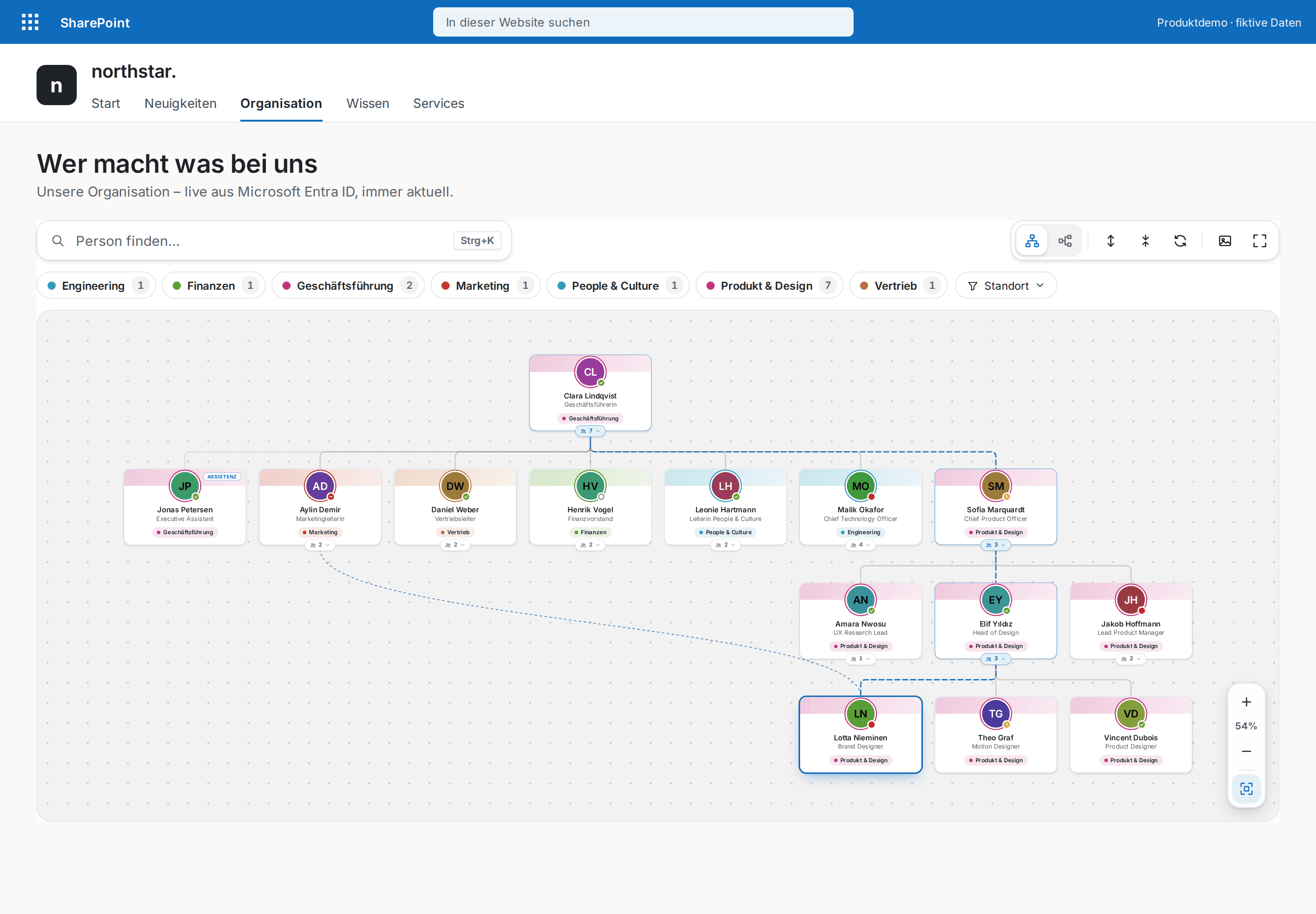
HR & People
Org Chart Pro
The modern org chart straight from Microsoft Entra ID — always current, zero maintenance.
€1,290
B2B store: sales exclusively to businesses, public-law entities and special funds under public law. Prices are net plus applicable taxes.
Documents
NewRead policy PDFs in the web part, require acknowledgement per policy, and track exact revisions.
Policy Acknowledgement Pro lets responsible teams publish policy PDFs directly from the Compliance Dashboard. The optional managed PDF workflow is enabled in both web parts. Each policy can then be set individually as informational or as requiring an explicit read-and-acknowledged attestation.
Employees open the verified SharePoint PDF inside the web part. The exact statement unlocks only after the final rendered page and the actual end of the scroll region are reached. The record binds the policy revision, SharePoint file ID, version, ETag and SHA-256 fingerprint to SharePoint Created By and Created.
One .sppkg contains the employee experience and the Compliance Dashboard. Data and PDFs remain in the configured SharePoint lists and document library; PDF.js 4.10.38 is bundled locally with no CDN, external service or telemetry. The scroll evidence is a documented self-attestation, not proof of comprehension or legal consent. Ordinary SharePoint administrators can still change or delete list records and files. The product remains in pre-launch until clean-tenant validation passes.
This is a ready-made SPFx web part for SharePoint Online. What SPFx web parts are · Install the .sppkg · All web parts · Tenant licensing and updates
| Version | 1.2.0 |
|---|---|
| Last updated | Sep 24, 2026 |
| SPFx version | ≥ 1.23.2 |
| SharePoint Online | Yes |
| Microsoft Teams | No |
| SharePoint on-premises | No |
Enable “Managed PDF workflow” in the settings of both web parts and use the same list and library names in each. Dashboard setup adds missing fields and creates the PDF library when needed.
Yes. Responsible teams choose whether each policy requires acknowledgement or is published for information only. Informational policies create no deadline, outstanding status or compliance KPI.
The record stores policy key and version, revision ID, SharePoint file ID, file version, ETag, SHA-256, reached-document-end evidence, explicit selection and wording version. SharePoint Created By and Created provide the actor and server time.
No. The gate documents that the final rendered page and the end of the scroll region were reached and that the statement was selected explicitly. It does not prove attention, comprehension or legal consent.
PDFs stay in the configured SharePoint document library, while policies and acknowledgements stay in two SharePoint lists. PDF.js is included in the package; there is no CDN or external processing. Each PDF is limited to 25 MB and 250 pages.
Employees need Read on policies and the library plus Add Items and appropriate own-item read access on acknowledgements. Publishers need edit rights, while setup additionally needs Manage Lists. No separate Graph or API approval is required.
HR & People
The modern org chart straight from Microsoft Entra ID — always current, zero maintenance.
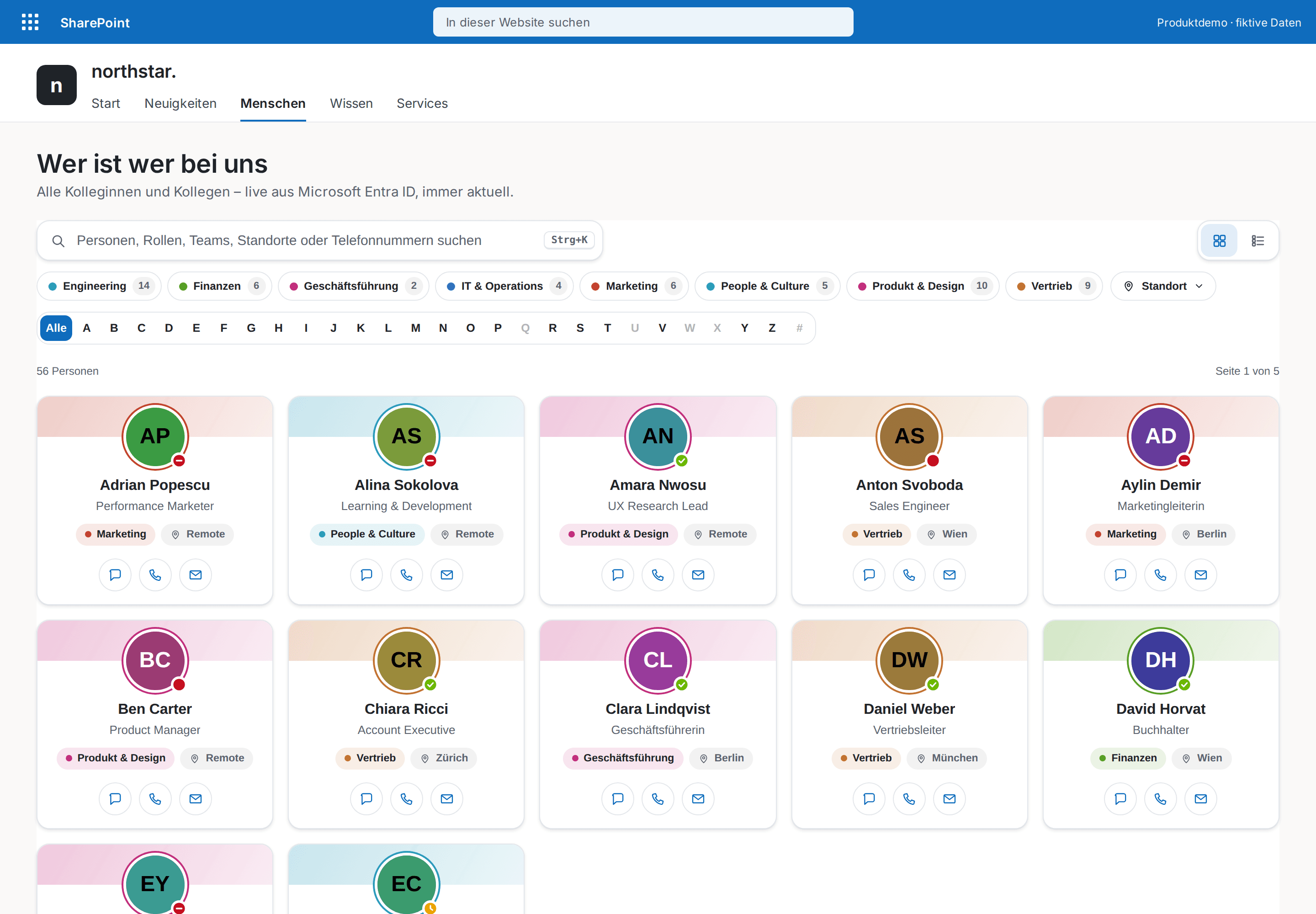
HR & People
The modern who's who for your intranet — every colleague one keystroke away.
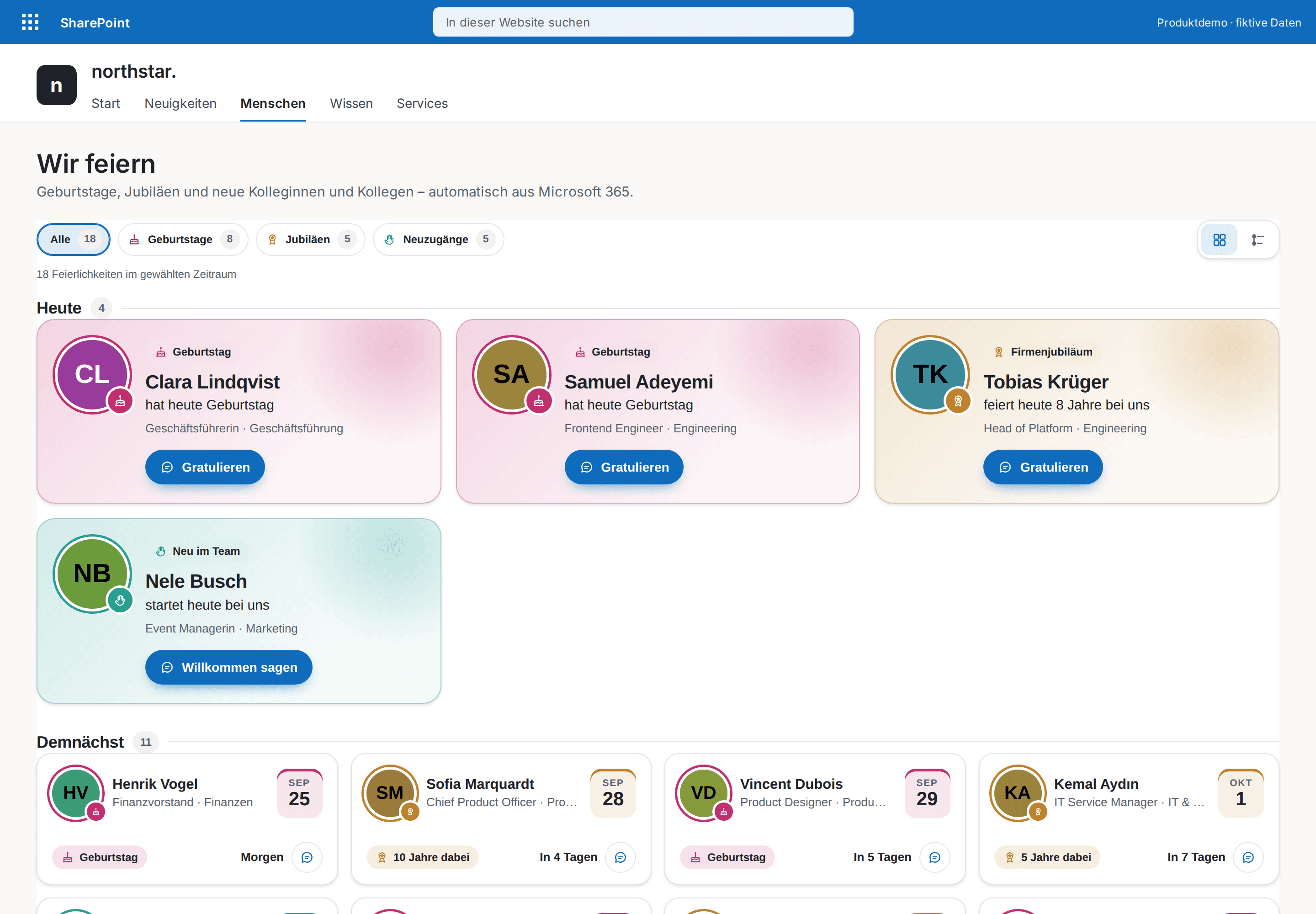
HR & People
Celebrate your people automatically — birthdays, work anniversaries and new colleagues, with congratulations in Teams.