Bestseller
HR & People
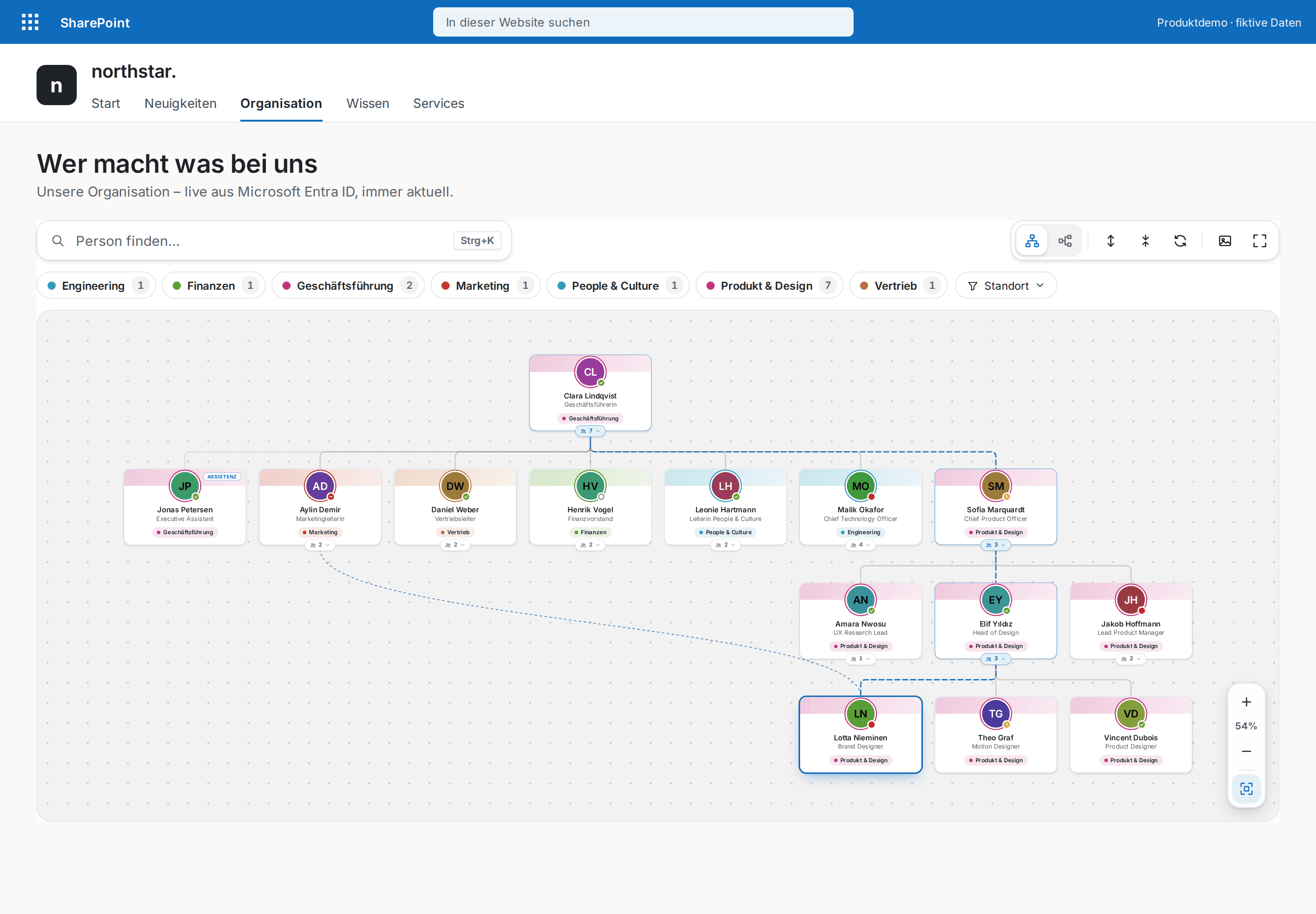
Org Chart Pro
The modern org chart straight from Microsoft Entra ID — always current, zero maintenance.
€1,290
B2B store: sales exclusively to businesses, public-law entities and special funds under public law. Prices are net plus applicable taxes.
HR & People
NewCelebrate your people automatically — birthdays, work anniversaries and new colleagues, with congratulations in Teams.
Birthdays & Anniversaries celebrates your people with zero upkeep: today's birthdays, work anniversaries and first days appear in a festive spotlight, upcoming occasions as cards with a calendar tile and countdown or as a timeline, and new colleagues are there to be welcomed.
One click on “Congratulate” opens a Teams chat with a prefilled message — personal, quick, and nothing is sent automatically. Event types are color-coded, filters show counts, and a subtle confetti animation greets the big day.
Data comes straight from Microsoft 365: birthdays from the profile or an extension attribute, anniversaries and new joiners from the hire date. Birth years are never shown and people can opt out via an attribute. Configured entirely in the property pane, light and dark themes, English and German — no external servers.
This is a ready-made SPFx web part for SharePoint Online. What SPFx web parts are · Install the .sppkg · All web parts · Tenant licensing and updates · Compare SharePoint HR web parts
| Version | 2.0.0 |
|---|---|
| Last updated | Sep 24, 2026 |
| SPFx version | ≥ 1.18 |
| SharePoint Online | Yes |
| Microsoft Teams | No |
| SharePoint on-premises | No |
From Microsoft 365 via Microsoft Graph: birthdays from the user profile (up to 500 accounts) or an extension attribute of your choice, anniversaries and new joiners from employeeHireDate. No separate list to maintain, nothing stored outside Microsoft 365.
Birth years are never shown, only day and month. People can be hidden via an extension attribute (e.g. “optout”); guest, service and disabled accounts can be excluded. The webpart writes no data.
Yes, the Graph permission User.Read.All, approved once by an administrator under "API access" in the SharePoint admin center. “Congratulate” uses a Teams link and needs no further permission.
Yes. The update rolls out tenant-wide by version number; every saved webpart setting is kept. New options (event colors, congratulate) are on right away and can be switched off.
HR & People
The modern org chart straight from Microsoft Entra ID — always current, zero maintenance.
HR & People
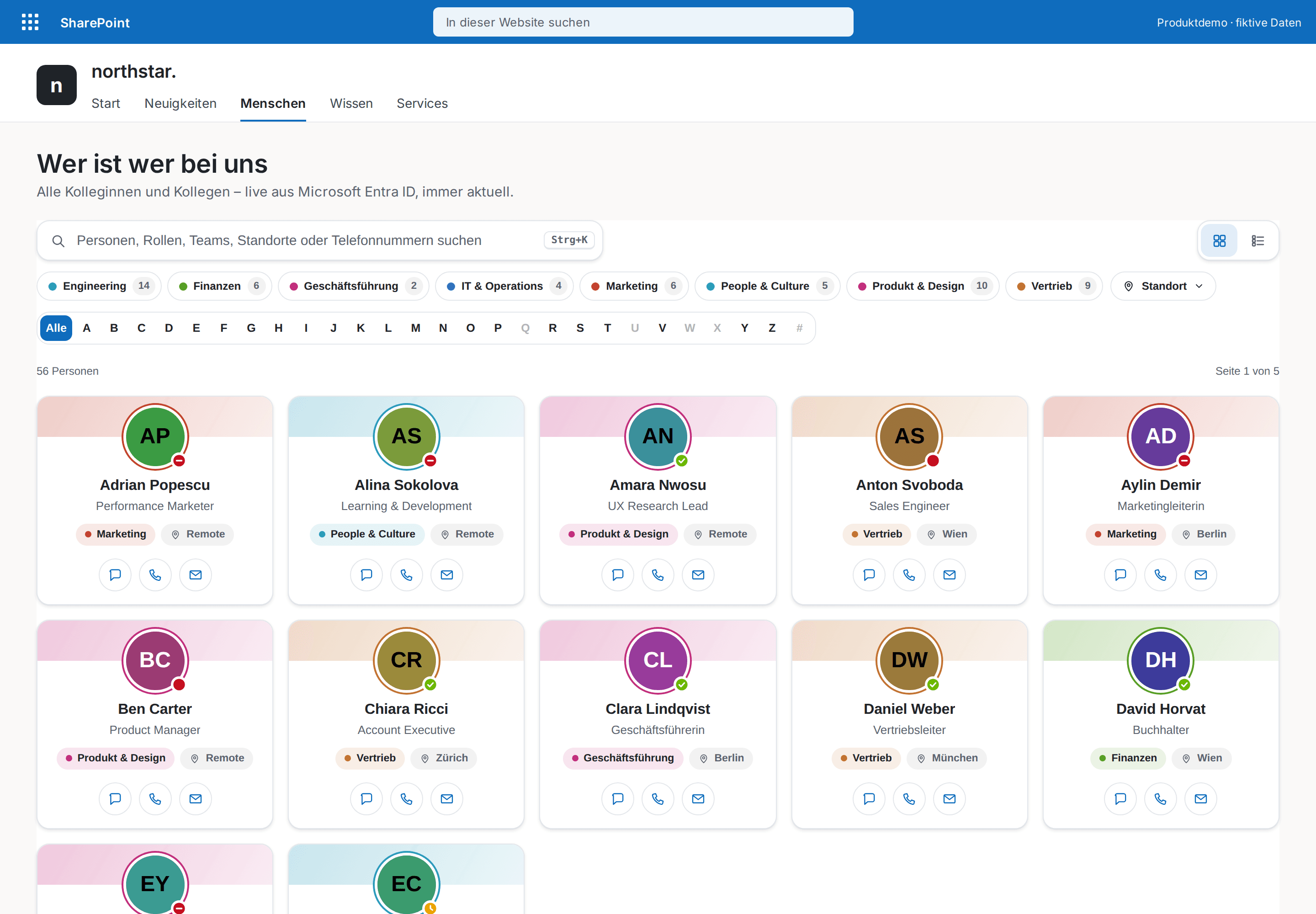
The modern who's who for your intranet — every colleague one keystroke away.
HR & People
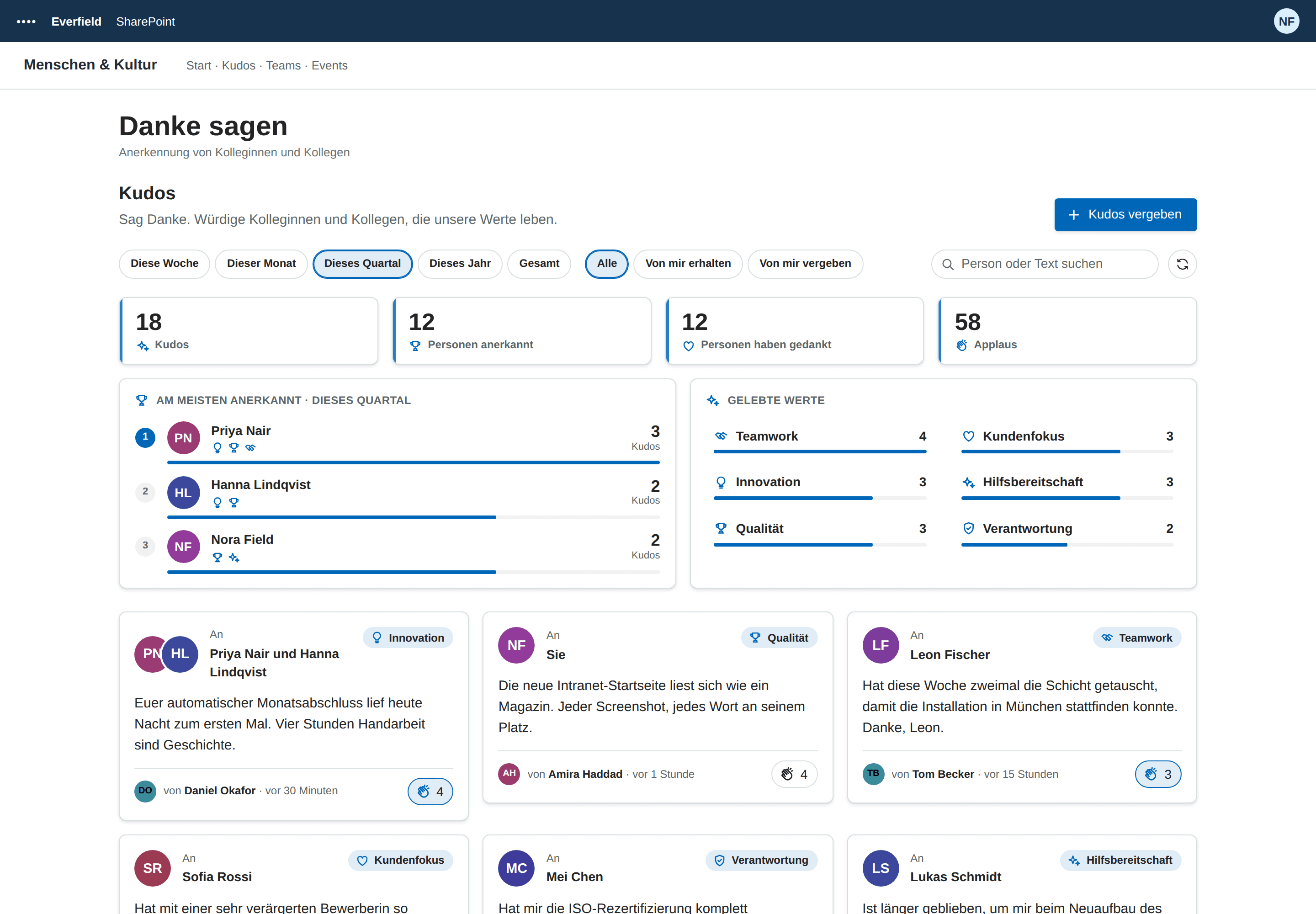
Employee recognition inside your SharePoint intranet — a kudos wall with company values, applause and highlights, no extra tool and no API permissions.