Productivity
Interactive Image Map Pro
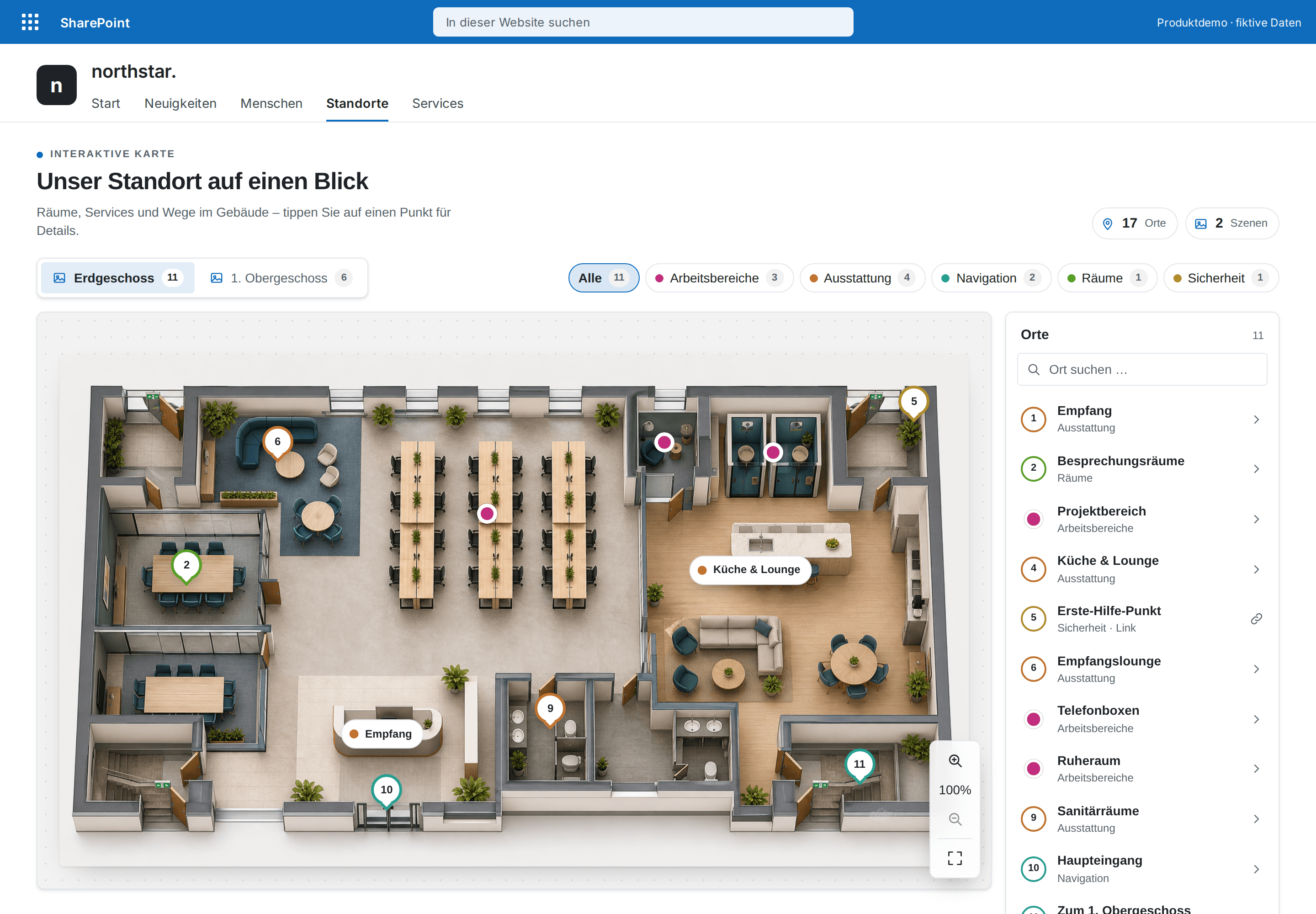
Make floor plans, processes and graphics clickable – with color-coded categories, a searchable places list, zoom and full screen.
€480then €600
B2B store: sales exclusively to businesses, public-law entities and special funds under public law. Prices are net plus applicable taxes.
Productivity
Link collections that look designed – with search, favorites and color-coded groups.
Quick Links Premium replaces the stock links webpart with designed navigation: a bento spotlight for what matters most, grid, list or a compact app launcher like Microsoft 365's. Groups are color-coded, and 25 built-in icons plus your own SharePoint images make every destination recognizable at a glance.
People find destinations with a forgiving search (“muenchen” finds “München”), filter by group and star personal favorites; “Recently used” remembers what they open often – locally in the browser, nothing stored.
Links, groups, badges like “NEW” and the look are managed in the property pane – no code, no API permissions and no external services. Colors come from your SharePoint theme, light and dark.
This is a ready-made SPFx web part for SharePoint Online. What SPFx web parts are · Install the .sppkg · All web parts · Tenant licensing and updates
| Version | 3.0.0 |
|---|---|
| Last updated | Sep 24, 2026 |
| SPFx version | ≥ 1.18 |
| SharePoint Online | Yes |
| Microsoft Teams | No |
| SharePoint on-premises | No |
Locally in each person's browser, separately per web part. Nothing is sent to SharePoint, Microsoft Graph or external servers.
Only for the one-time deployment to the app catalog. The web part requests no API permissions; page editors manage links in the property pane.
Images from your SharePoint tenant (same origin), for example from Site Assets. External image sources are not loaded for security reasons; without an image an icon is shown.
Yes. The update rolls out tenant-wide by version number; every link and setting is kept. Group colors are on right away and can be switched off.
Productivity
Make floor plans, processes and graphics clickable – with color-coded categories, a searchable places list, zoom and full screen.
Productivity
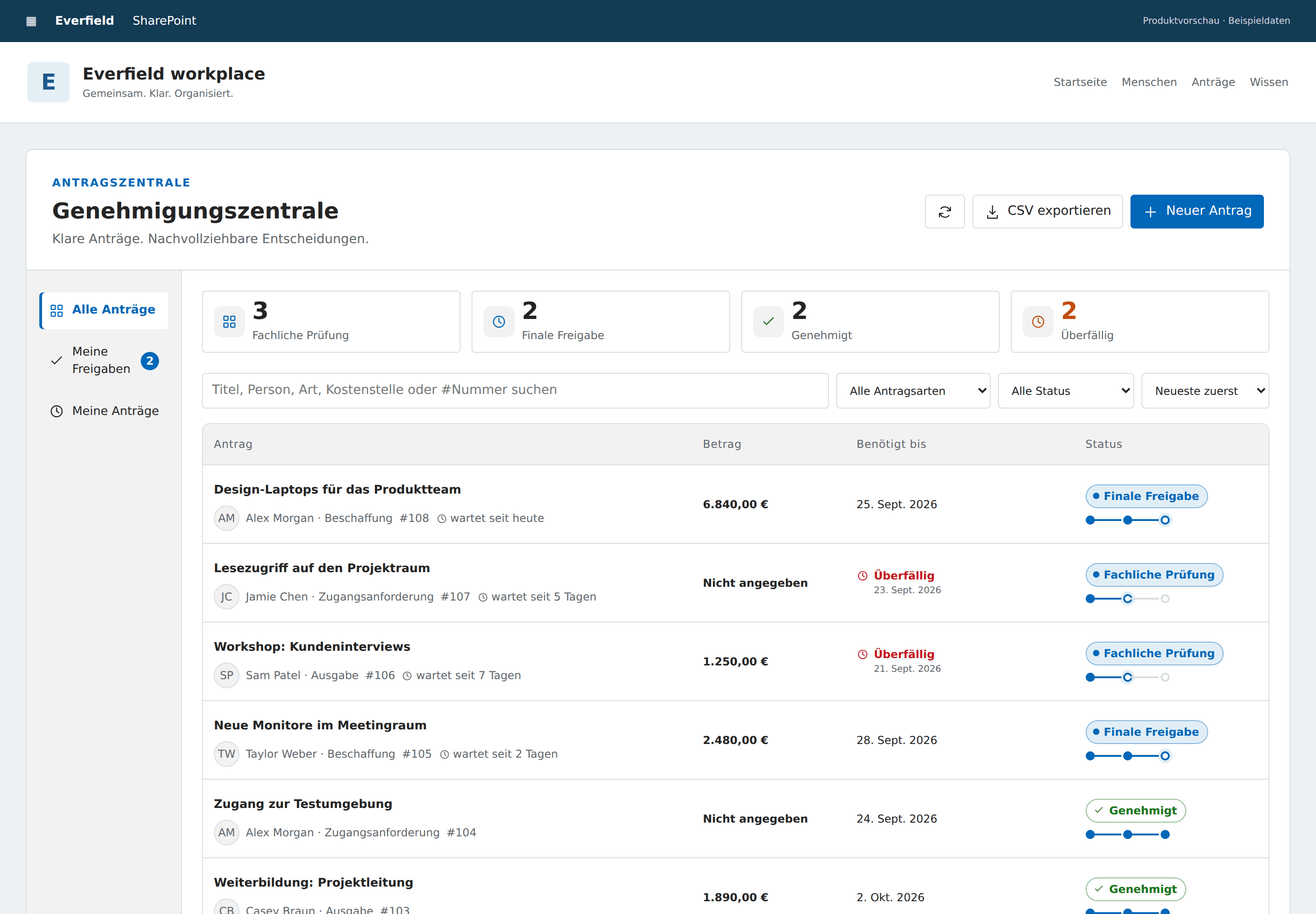
Request purchases, access and expenses in SharePoint, with two distinct review stages and a clear decision trail.
Productivity
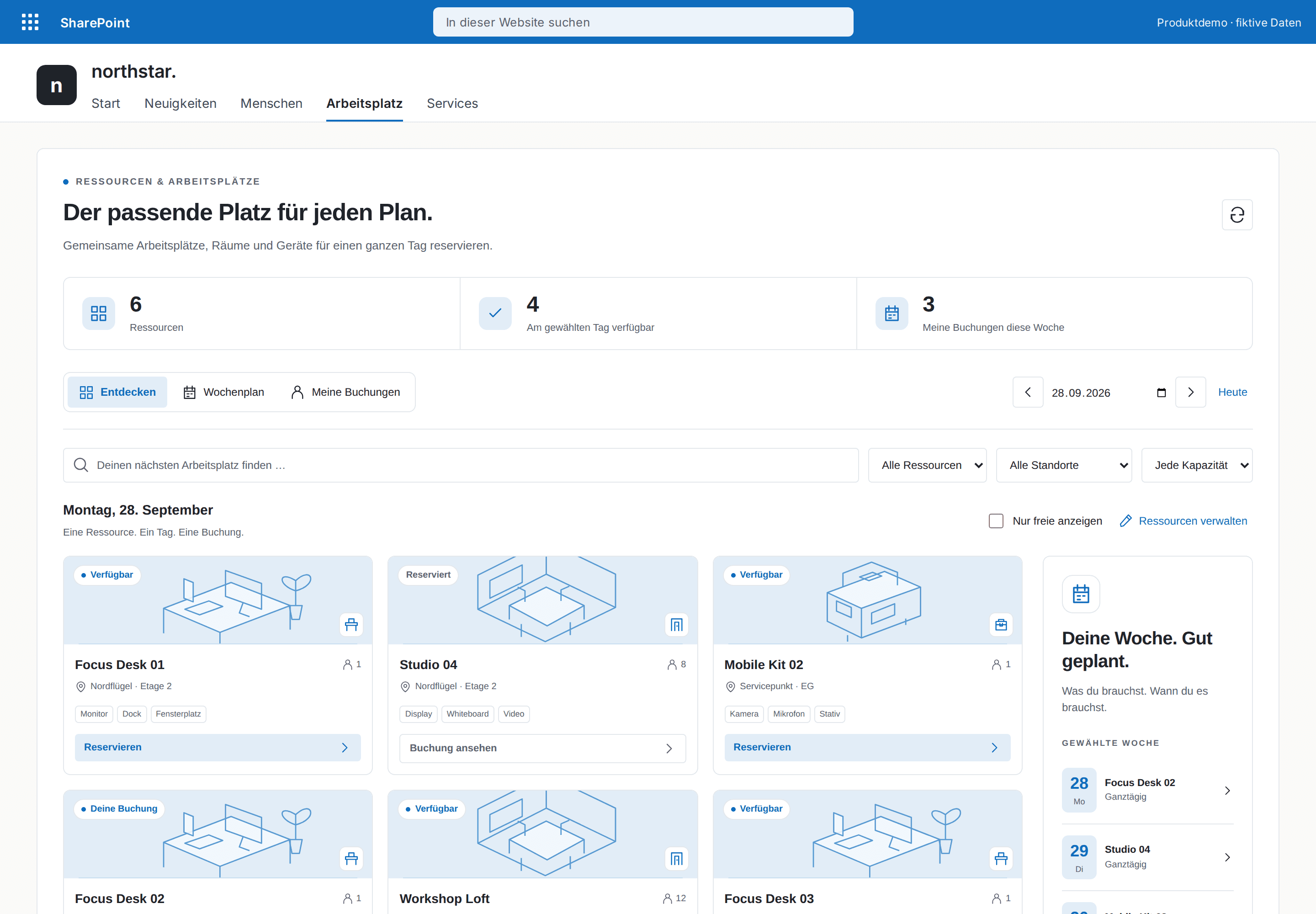
Book desks, rooms and equipment for a full day in SharePoint. Discover availability, plan the week and manage your own reservations.