New
HR & People
Employee Directory Plus
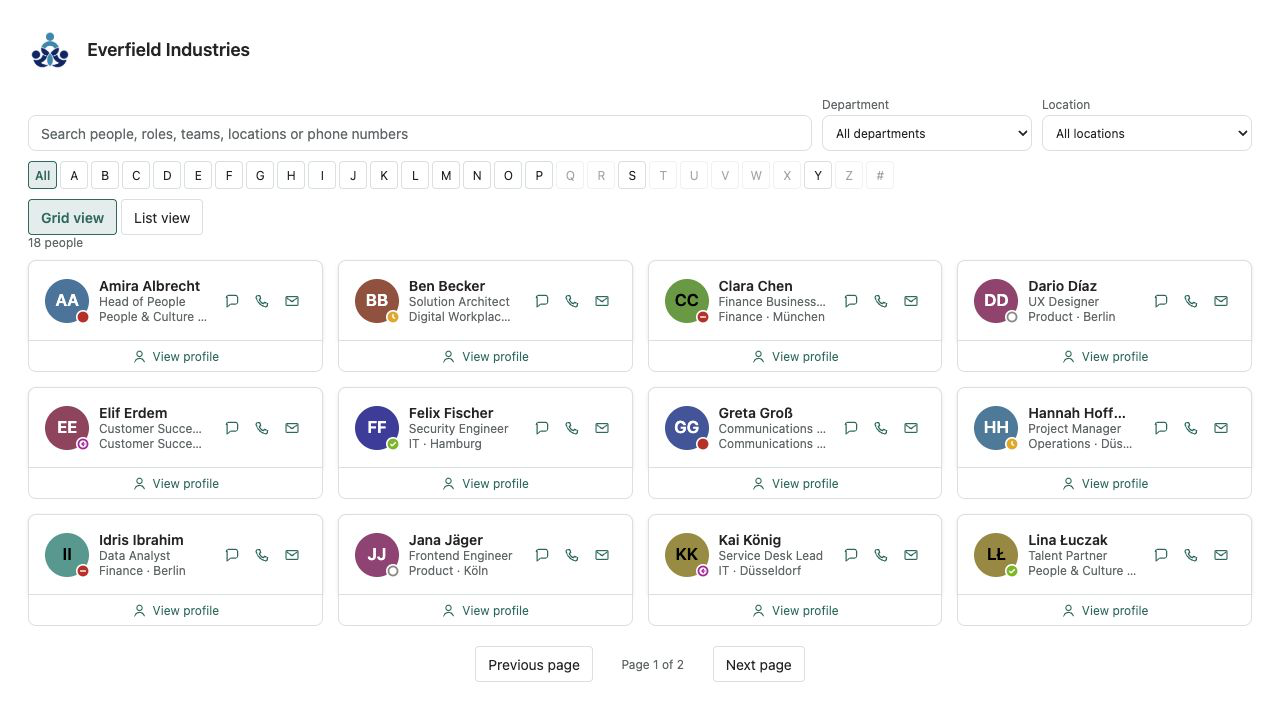
A fast people directory from Microsoft Entra ID — theme-aware, bilingual and free of external services.
€640then €800
B2B store: sales exclusively to businesses, public-law entities and special funds under public law. Prices are net plus applicable taxes.
HR & People
NewShift roster for SharePoint Online: who is on shift, as a week or month grid, with filters, a print view and my shift. Display only.
Shift Roster shows who is on shift on the SharePoint page. The week or month grid reads a list on the current site: person, shift, date and area. Filters, search, a print view and “my shift” make the roster readable where the team page already lives — no extra planning tool and no per-user licence.
The plan is display only. There is no automatic staffing, no time tracking and no clock. The time window on a shift is a caption, for example 06:00–14:00, not recorded working time. Requests, approval and balances stay with Leave Planner. Both can sit on the same page and they do not share data.
Authors create the list with one click, name up to eight shifts and twelve areas, and choose week or month, the first day of the week, weekends and profile photos. Rows are maintained in SharePoint, under that list’s permissions. The web part never writes a shift. When two rows name the same person on the same day, the latest one is shown.
It reads exclusively through SharePoint REST under the signed-in person's permissions. No Microsoft Graph permission, no external service, no telemetry. Colours follow the SharePoint theme, light and dark, with Theme, Soft and Compact skins. Shift Roster is developed and published by Lyron.
This is a ready-made SPFx web part for SharePoint Online. What SPFx web parts are · Install the .sppkg · All web parts
| Version | 1.0.0 |
|---|---|
| Last updated | Sep 21, 2026 |
| SPFx version | ≥ 1.23.2 |
| SharePoint Online | Yes |
| Microsoft Teams | No |
| SharePoint on-premises | No |
No. The only thing visible is what the SharePoint list contains: person, shift, date and area. A window such as 06:00–14:00 is the shift’s caption, not clocked working time. There is no clock-in and no hours report.
No. There is no staffing optimisation, no required headcount and no suggestion of who should cover. The roster shows the rows someone maintained in the list. Two rows for the same person on the same day are not checked: the latest one is shown.
No. There is no request, no approval and no balance. A shift is not leave, and leave is not a shift. Requests, the manager and entitlements belong to Leave Planner. The two web parts do not read each other.
In an ordinary SharePoint list of the site that hosts the web part. The suggested title is “ShiftRoster” and can be changed. One row per person and day: person, date, shift and area. Retention, export and deletion follow your SharePoint governance.
People who can edit the list maintain the rows in SharePoint. The web part itself does not save a shift. The list inherits the site’s permissions; it is not locked so that each person can edit only their own rows, because a roster is usually kept by a coordinator.
No. The web part uses only SharePoint REST under the signed-in person's permissions. Profile photos, if you leave them on, come from the site's photo endpoint and can be switched off. It requests no API permission and contains no telemetry.
On modern SharePoint Online pages and in the SharePoint full-page host with SPFx 1.23.2 or newer. Microsoft Teams and SharePoint Server on-premises are not claimed for version 1.0.0. A typical place is the area page in care, retail, production or site security — the plan, not a workforce system.
Lyron is the developer and publisher. The one-time licence covers one Microsoft 365 tenant with unlimited authorised users and pages. The price is 490 euros net. Delivery uses SPFxStore’s protected licence and download flow.