New
HR & People
Employee Directory Plus
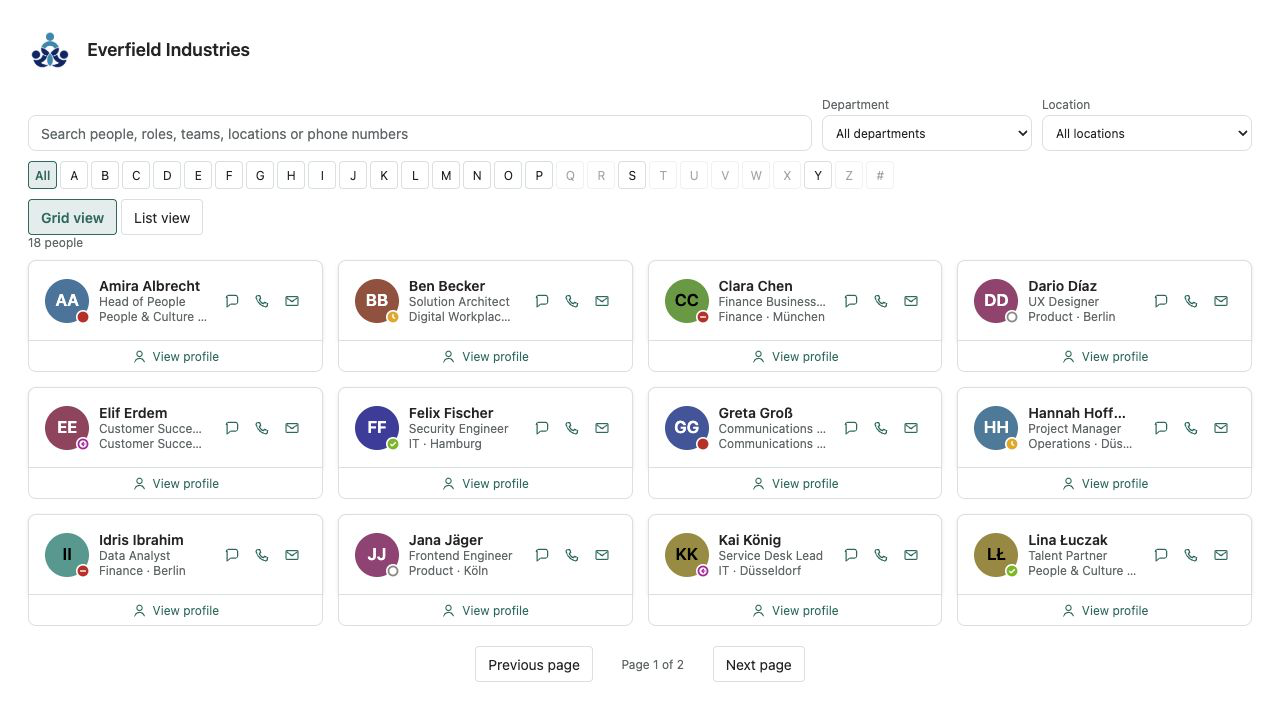
A fast people directory from Microsoft Entra ID — theme-aware, bilingual and free of external services.
€640then €800
B2B store: sales exclusively to businesses, public-law entities and special funds under public law. Prices are net plus applicable taxes.
HR & People
NewLeave requests, approval by the Microsoft Entra ID manager, balances and a team absence calendar inside SharePoint — one price per tenant instead of per-user fees, and the data stays in your own lists.
Leave Planner Pro turns a SharePoint site into a finished leave request and approval tool — one web part, no Power Automate project, no extra login and no per-user licence. Employees submit a vacation request right on the SharePoint page, immediately see working days, public holidays and their remaining balance, and know who will approve before they send it. Leave management, the vacation calendar and time-off tracking stay where your intranet already lives.
The manager comes from Microsoft Entra ID automatically: Microsoft synchronizes the manager attribute into every SharePoint user profile, and the web part reads it without any API approval. Approvers find open requests on the Approvals tab with a counter, and a link takes them straight to the request inside the web part, where they approve or decline after an explicit confirmation. People without a manager get a fallback approver, HR can assign a different approver per person, and pending requests can be re-routed when the manager is away.
Everything day-to-day leave planning needs is built in: up to eight leave types, half days, configurable work week and part-time patterns, public holiday presets for all 16 German states and Austria as editable starting points, requests across the turn of the year, entitlement per person and year, computed carry-over with an expiry date (default 31 March), a team absence calendar as month timeline and agenda, .ics download, and an HR overview with balances, integrity check and CSV export. The web part creates its three lists with one click.
The web part uses SharePoint REST only, under the signed-in user's permissions — no backend, external service or telemetry; your data stays in your own lists and your own governance. One single optional Microsoft Graph permission (Mail.Send) switches on automatic e-mails; without it everything works, and notification runs through the approvals inbox and a one-click hand-off to Teams or e-mail. Approvals are tamper-evident because the status is never stored but computed from rows the approver creates themselves. Leave Planner Pro follows light and dark sections, is accessible, localized in English and German, and is developed and published by Lyron. Not legal advice.
This is a ready-made SPFx web part for SharePoint Online. What SPFx web parts are · Install the .sppkg · All web parts
| Version | 1.0.1 |
|---|---|
| Last updated | Sep 21, 2026 |
| SPFx version | ≥ 1.23.2 |
| SharePoint Online | Yes |
| Microsoft Teams | No |
| SharePoint on-premises | No |
Add the web part to a page, click “Create or repair lists” in the property pane and choose the holiday region. Employees can then request leave and managers approve — the whole loop runs inside the web part. No flow is required; if you want automatic notifications through a list rule or Power Automate, the guide contains an optional recipe.
No, not for operation. Requests, manager lookup, approval, calendar, balances and export use SharePoint REST only. The package requests exactly one optional permission: Microsoft Graph “Mail.Send”. Only when a Global Administrator approves it and the page owner switches on “Automatic e-mail” does the web part send mail from the acting person's mailbox. Important for your assessment: SPFx grants apply tenant-wide to all SPFx code. If the request is left pending or rejected, the product keeps working completely — a click on Teams or e-mail informs the manager, and the approvals inbox shows open requests anyway.
Microsoft retired the permission-free SharePoint mail API (SendEmail) on 31 October 2025 and classic SharePoint alerts in 2026. For a web part without its own server that leaves Microsoft Graph “Mail.Send” or a customer-side automation. We say so openly instead of putting a service in between: your data never leaves the tenant.
From the SharePoint user profile, into which Microsoft synchronizes the Entra ID manager attribute by default. Changes in Entra arrive with a delay (hours to about a day), which is why the form shows the approver before sending. For executives, guests or hidden profiles the fallback approver from the property pane applies, and HR can assign a different approver per person. If nobody can be determined, a designed notice explains what to do.
Entitlement plus carry-over plus adjustment minus approved deducting days; pending requests appear separately as “requested”. HR maintains the entitlement per person and year, otherwise the default from the settings applies (without a default the web part shows taken and planned days only). Carry-over is computed from the previous year, optionally capped, and expires on the configured date (default 31 March); days up to that date consume carry-over first. All values are editable and informational — not legal advice.
In the calendar colleagues see only “Absent” and the period by default. To be honest about it: the data lives in ordinary SharePoint lists that every member of the site can read through SharePoint itself; the masking is a display rule, not a security boundary. For strict confidentiality put the lists on a dedicated data site. Defaults favour data minimisation (no sickness type, no note field, neutral title) and exclusion from search and Copilot. Per-person or per-approver analytics are deliberately not included.
Approvals are tamper-evident against employees, colleagues, approvers and page editors: an approval is a separate row the approver creates themselves; SharePoint sets “Created by”, which cannot be forged without full control. Self-approval is impossible, changes after approval invalidate it, and leave that has started stays counted. The solution is not protected against site owners, Microsoft 365 group owners and administrators — the boundary of any solution without a server. The authoritative record is the Microsoft Purview audit log.
In Germany usually yes (Works Constitution Act section 87(1) nos. 5 and 6). Section 9 of the included product guide is a bilingual “Privacy and works council” factsheet (pages 12 to 19, printable on its own): every stored field, storage in your own lists, a who-can-read-what matrix, no telemetry, no data processor (Lyron never receives data), no performance or behaviour analytics. This is not legal advice.
Presets for all 16 German states and Austria, computed at runtime — so no year is ever missing. They are editable starting points: municipal holidays, half days on 24 and 31 December or company closures are added as custom days, and single holidays can be excluded. For Switzerland and other countries you maintain the days manually.
No — the web part deliberately has no server component and therefore no scheduler. Instead it shows “waiting for N days” on the request, offers “Remind” (at most once in 24 hours) and re-routing to the current or next-level manager or the fallback approver; HR can decide at any time.
On modern SharePoint Online pages and in the SharePoint full-page host with SPFx 1.23.2 or newer. Employees and managers need contribute rights on the two request lists; if the web part sits on a read-only intranet page, the “data site” setting points to a site with suitable rights. One data site is designed for about 500 employees; larger organisations use one data site per unit. Microsoft Teams and SharePoint Server on-premises are not claimed for version 1.0.0.
Lyron is the developer and publisher. The one-time licence covers one Microsoft 365 tenant with unlimited authorised users and pages; after release, delivery uses SPFxStore’s protected licence and download flow.